


Good news for PressReader users. Reconnecting to your library's PressReader HotSpot after your access expires has just become much simpler.
Following feedback from library customers, PressReader has introduced a new HotSpot Expiry Notification designed to make it quicker and easier to reconnect and continue reading your favourite newspapers and magazines.
Many users found the previous reconnection process frustrating and difficult to navigate. After a HotSpot session expired, readers often had to go through several steps to find and reconnect to their library's access point.
PressReader has responded directly to this feedback by creating a more straightforward way to renew access.
When your access to a library HotSpot expires, PressReader will now display a notification prompting you to reconnect to the same library HotSpot you were previously using.
This new feature:
The aim is to create a smoother reading experience, whether you're catching up on the latest news, browsing magazines, or exploring international publications.
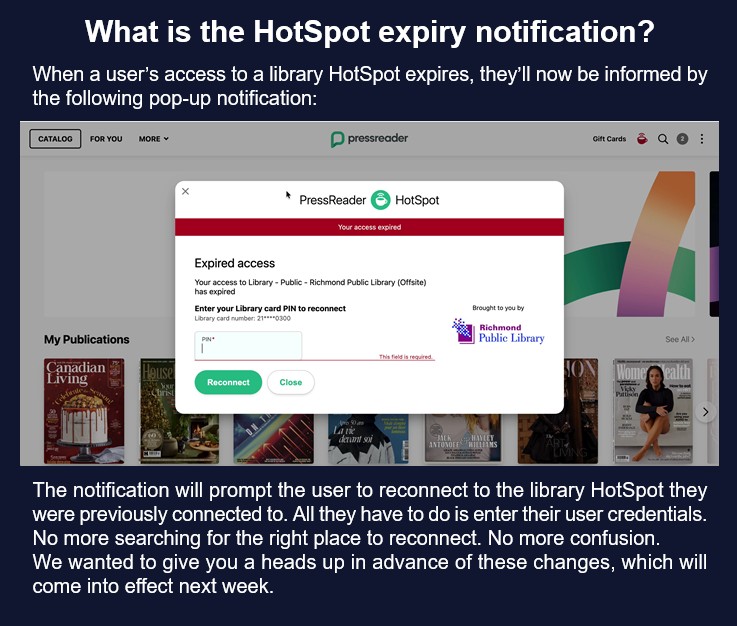
The new notification appears automatically when your library HotSpot access expires, guiding you back to the correct authentication process. While the exact experience may vary depending on your device and your library's authentication method, the improvement is designed to make reconnection as simple as possible.
You can find an interactive demonstration showing how the authentication process works here:
PressReader have also published an article on their Help Center detailing the ways in which you can reconnect to your Library HotSpot.
PressReader has thanked library users for their patience and feedback, noting that customer suggestions play an important role in shaping future improvements to the platform.